Microsoft Defender for Cloud in Defender Portal
Introduction
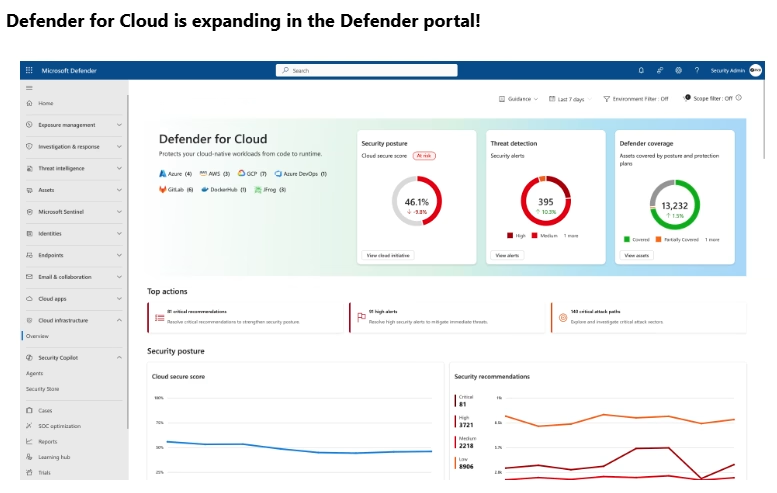
Microsoft is continuing its push toward a unified security operations experience, and one of the most important recent moves is bringing Microsoft Defender for Cloud into the Microsoft Defender portal at security.microsoft.com. This change puts cloud security posture, exposure management, and workload protection right next to Endpoint, Identity, Office 365, and XDR investigations. For security teams, this is a big step away from siloed portals and toward a single, operational SecOps console.
What Changed
Defender for Cloud has traditionally been managed and viewed in the Azure portal. That experience still exists and remains important for configuration and policy management. What’s new is where you consume and investigate the security data.
Now, Defender for Cloud experiences are available directly in the Defender portal, which means:
- Cloud security signals show up alongside endpoint, identity, and SaaS signals
- Alerts and incidents can be investigated in a single, unified experience
- Exposure, posture, and risk data are no longer isolated from XDR workflows
This shift is about operational efficiency and better correlation, not just a UI change.
Where You’ll Find Defender for Cloud in the Defender Portal
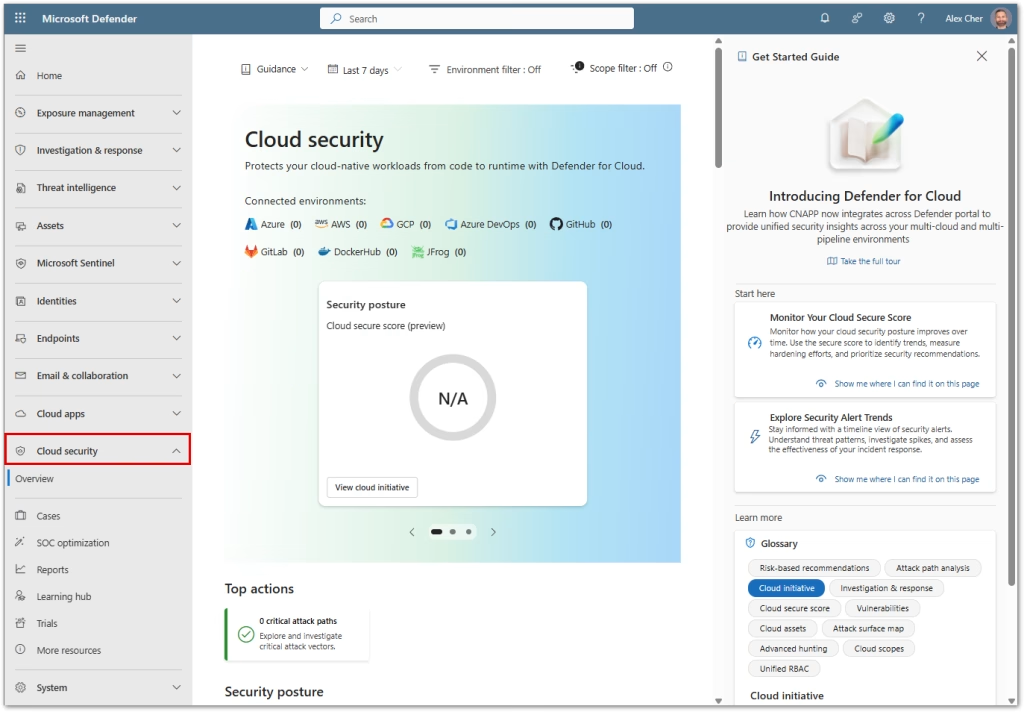
Once enabled, Defender for Cloud shows up in the Defender portal primarily under Cloud security and Exposure management. From there, you can access:
- Cloud inventory across your environments
- Secure Score and prioritized security recommendations
- Attack path analysis and exposure insights
- Cloud vulnerabilities and risk context
- Alerts and incidents correlated with other Defender signals
The big win here is context. A risky VM, an exposed cloud service, or a misconfiguration can now be investigated in the same place you already handle endpoint and identity incidents.
Defender Portal vs Azure Portal: Who Does What
Microsoft has been clear that this is not a full replacement of the Azure portal experience. Each portal has a different role.
In the Defender portal, you focus on:
- Security posture and exposure visibility
- Secure Score and recommendations review
- Attack paths and risk-based prioritization
- Incident and alert investigation across domains
- Unified SecOps workflows
In the Azure portal, you still handle:
- Policy and regulatory compliance management
- Workflow automation and some remediation actions
- Resource-level configuration and tuning
- Certain advanced Defender for Cloud settings
Think of it this way. The Defender portal is becoming the operational and investigative home for cloud security. The Azure portal remains the administrative and configuration home.
How to Enable the Experience (Preview)
Right now, Defender for Cloud in the Defender portal is available as a preview feature and must be enabled manually.
Steps to Enable:
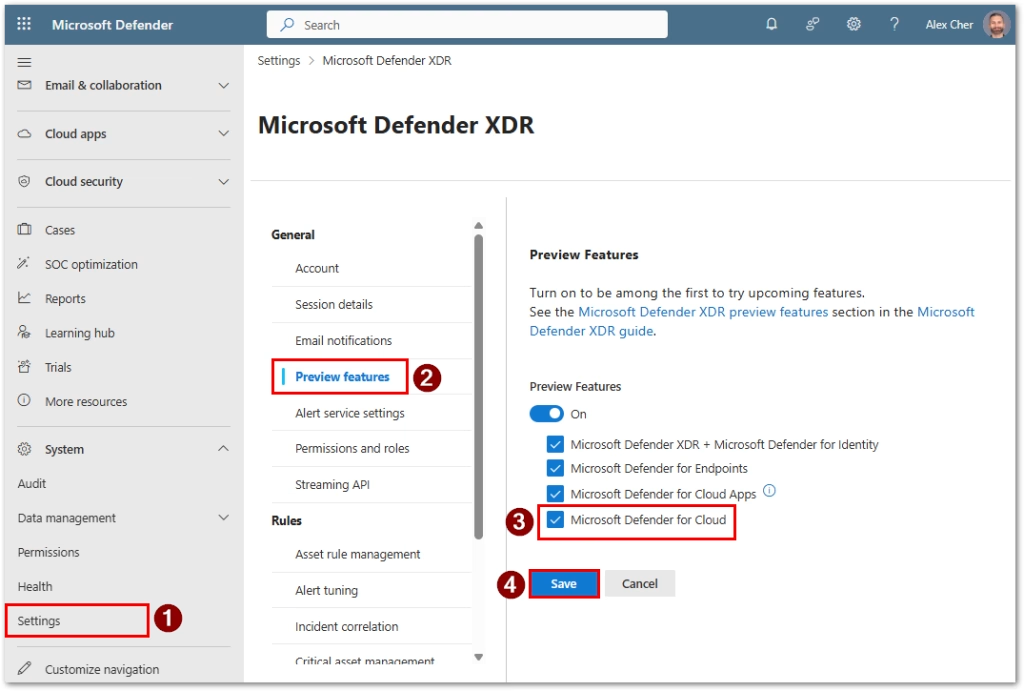
- Sign in to the Microsoft Defender portal at security.microsoft.com
- Go to Settings > Microsoft Defender XDR > General > Preview features
- Turn on Preview features
- Make sure both, Microsoft Defender XDR and Microsoft Defender for Cloud, options are enabled
- Wait up to 24 hours for the experience to appear in your tenant
After this, you should see Cloud security sections show up in the Defender portal navigation.
Why This Matters for SecOps and Cloud Teams
This change is more than just convenience. It directly impacts how teams work together.
Key benefits:
- Less context switching between portals
- Better correlation between cloud, endpoint, and identity signals
- Faster investigations with a single incident and alert pipeline
- Shared visibility between SOC and cloud security teams
- More realistic modeling of how attacks move across environments
This is exactly the direction Microsoft is going with exposure management and attack path analysis. When everything lives in one place, risk becomes easier to understand and prioritize.
Final Thoughts
Bringing Defender for Cloud into the Microsoft Defender portal is a major step toward a truly unified security operations experience. It keeps Azure as the place for deep configuration while turning the Defender portal into the central hub for visibility, investigation, and response across your entire environment.
If you’re already using Defender for Cloud, enabling this preview is absolutely worth your time. It gives you a clear look at where the platform is heading and how Microsoft is unifying cloud security with the rest of the Defender ecosystem.
References
- Microsoft Defender for Cloud in the Defender portal
https://learn.microsoft.com/en-us/azure/defender-for-cloud/defender-portal/defender-for-cloud-defender-portal - Azure portal vs Defender portal comparison
https://learn.microsoft.com/en-us/azure/defender-for-cloud/azure-portal-vs-defender-portal-comparison - Enable preview features
https://learn.microsoft.com/en-us/azure/defender-for-cloud/defender-portal/enable-preview-features