Install CrowdStrike Falcon App with Per-App VPN
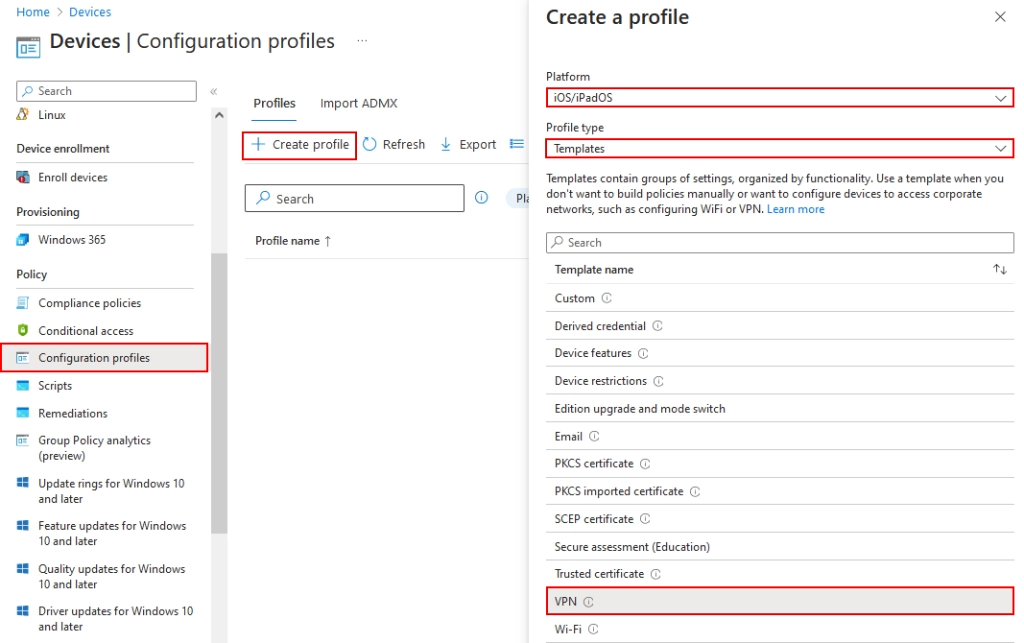
1. Create a Per-App VPN by going to Devices / Configuration Profiles and clicking Create Profile. Name it “iOS CrowdStrike Falcon Per-App VPN”:
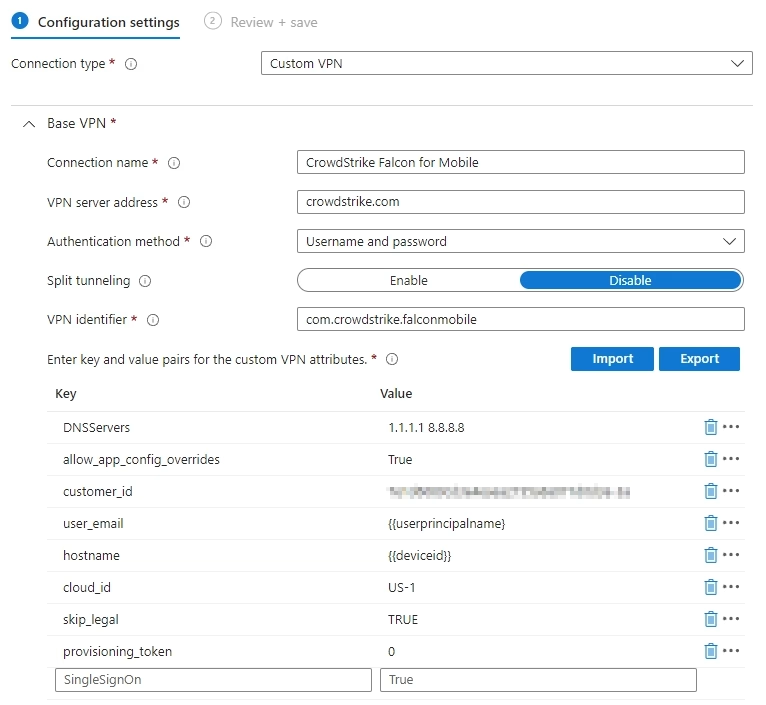
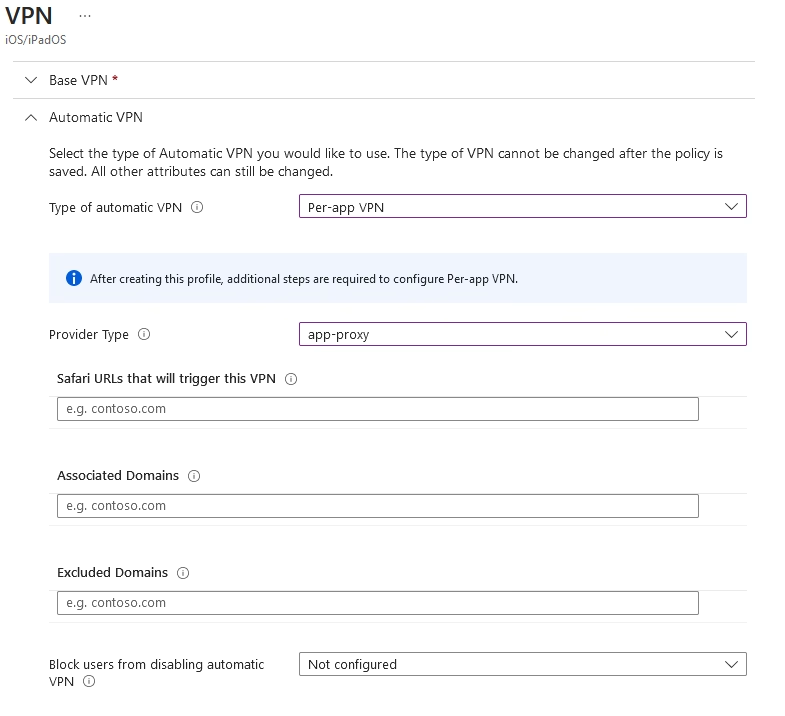
Configure base VPN settings, including the custom Customer_ID value from the CrowdStrike portal:
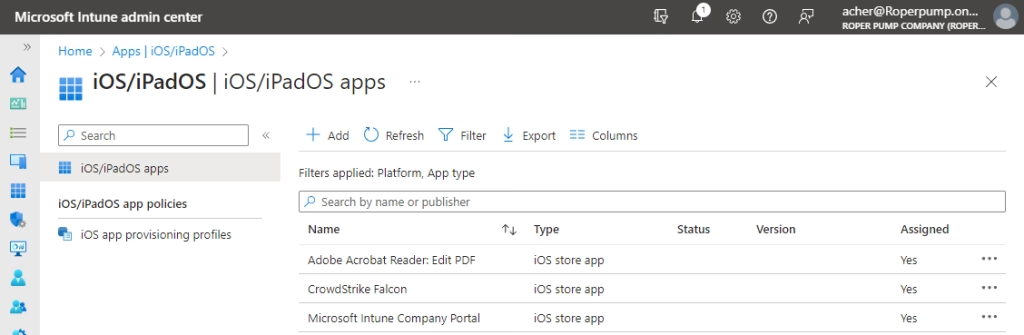
2. Add the CrowdStrike, Acrobat Reader and other apps as needed:
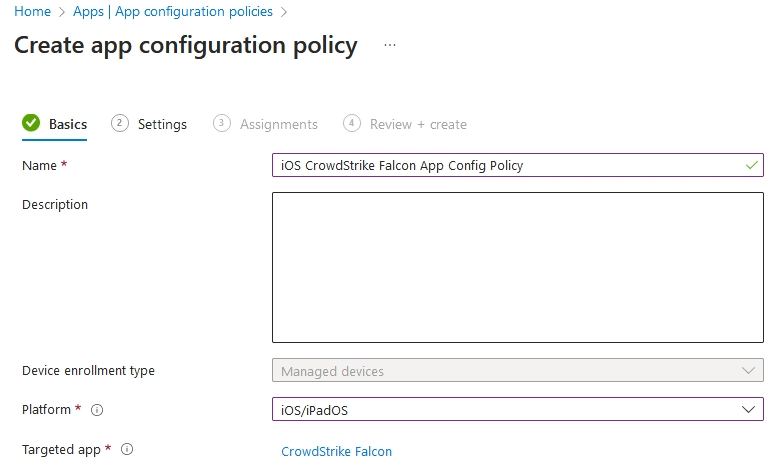
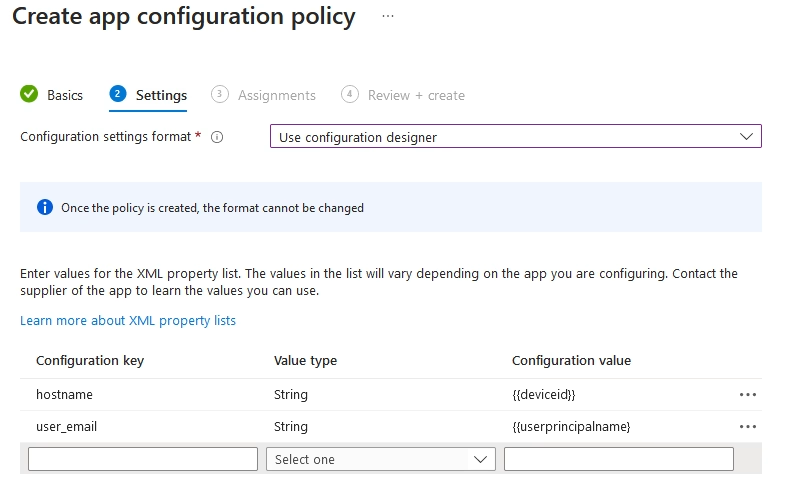
3. Create a Configuration Policy for Managed Devices. Name it “iOS CrowdStrike Falcon App Config Policy”:
people found this article helpful. What about you?