Deploy iOS Apps with Intune
This guide assumes that you already created the enrollment profile and your devices are enrolled. If not, please follow that guide first.
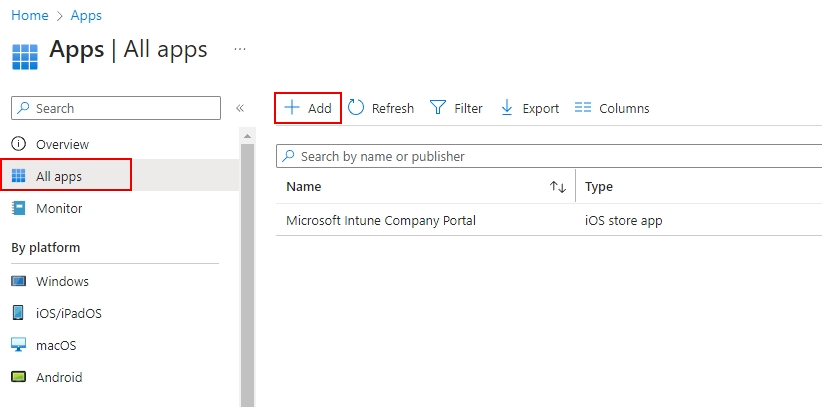
1. Go to Apps then All Apps in Endpoint Manager and click on Add
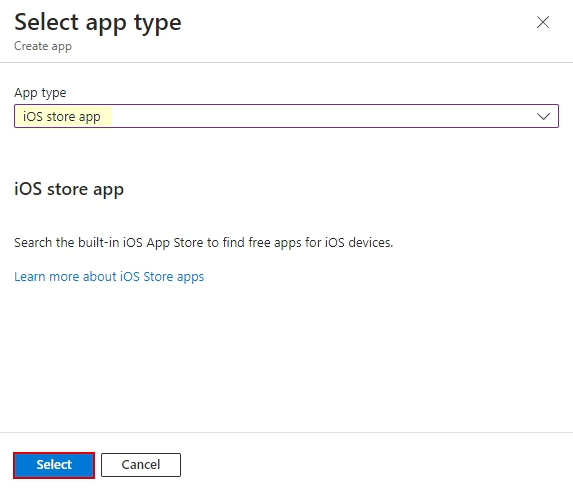
2. Select iOS store app and click on Select
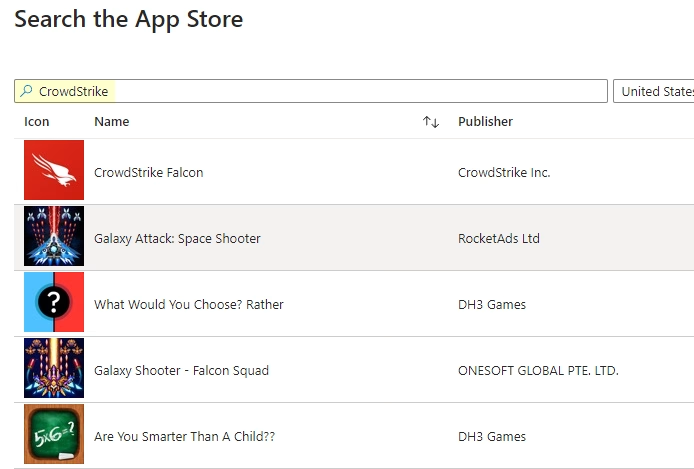
3. Enter the name of your app to find it, for example CrowdStrike Falcon
4. Configure settings, such as Show this app as featured app in Company Portal
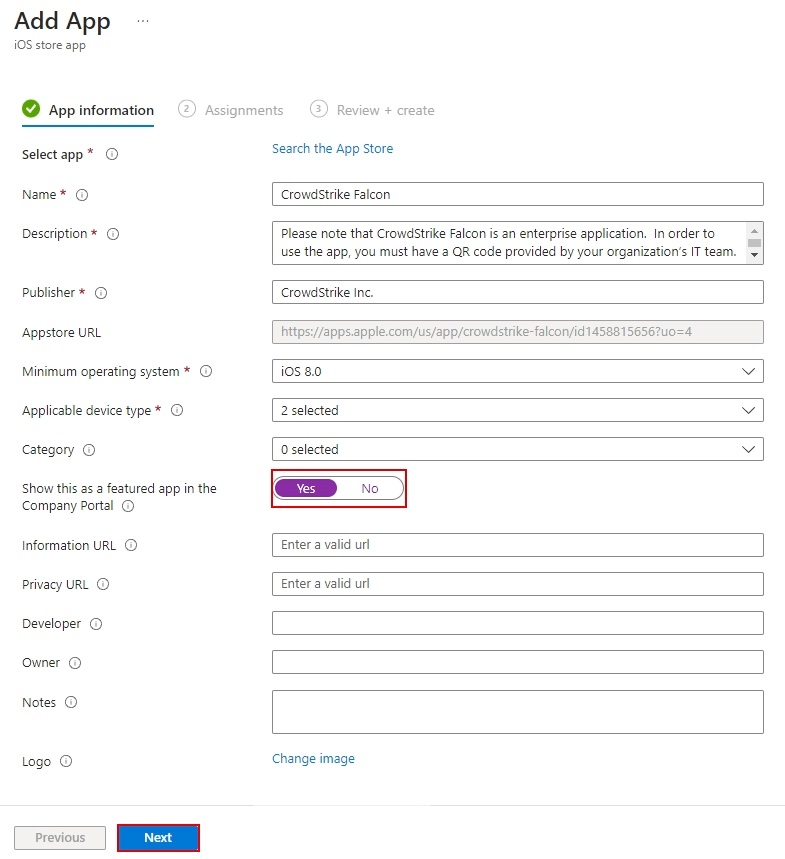
5. Configure settings, such as Show this app as featured app in Company Portal

people found this article helpful. What about you?